The Complete Guide to BBC iPlayer Login: How to Sign In, Fix Problems, and Watch in 2026
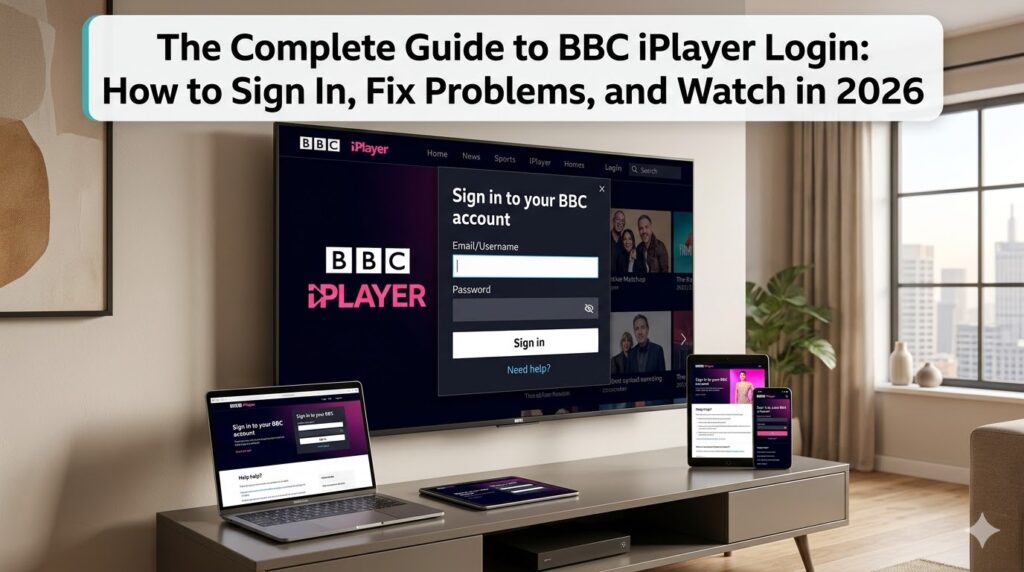
BBC iPlayer is one of the UK’s most beloved streaming platforms, offering a treasure trove of live television, box sets, and exclusive originals. However, before you can dive into the latest episode of Doctor Who or catch up on the news, you need to get past the first hurdle: the login screen.
While logging in seems simple, many users encounter issues related to location restrictions, forgotten passwords, or TV Licence verification. This guide is dedicated entirely to the BBC iPlayer login process. Whether you are a new user setting up an account for the first time, a returning user facing technical glitches, or someone trying to access their account from abroad, this article covers everything you need to know.
Why Do You Need to Log In?
Before 2017, BBC iPlayer allowed users to watch content without an account. Today, however, a mandatory login is required for everyone. The BBC introduced this to better understand its audience, personalize recommendations, and, most importantly, enforce TV Licence regulations. When you log in, the BBC can verify that you are a UK resident and remind you of your legal obligation to fund the service.
Prerequisites: The Two Things You Must Have Before Logging In
You cannot log in successfully without meeting two specific criteria. If you skip these steps, your login attempt will either fail or you will be blocked from watching content.
1. You Must Be in the United Kingdom
BBC iPlayer is a public service funded by UK TV Licence payers. As such, the content is strictly licensed for viewing within the UK. The service uses your IP address to determine your geographical location.
How it works: When you try to log in or stream, iPlayer checks your IP address against a database of known UK IPs.
The result: If you are outside the UK, you will be greeted with an error message stating, “BBC iPlayer only works in the UK.” You will not be able to log in or watch anything.
2. You Must Have a Valid TV Licence
To log in and watch anything on iPlayer, you must confirm that you have a TV Licence. This is not a subscription fee to the BBC app; it is a legal requirement for watching or recording live television on any channel or service in the UK, as well as for using BBC iPlayer.
Cost: As of 2026, the annual fee is £169.50 for a colour TV Licence.
Enforcement: When you log in, you will occasionally be prompted to confirm that your household is covered by a licence. Failure to have one while streaming content can result in legal action and a fine of up to £1,000.
Step-by-Step: How to Create a BBC Account
If you are new to iPlayer, you cannot log in without an account. Here is how to register:
Open the App or Website: Launch the BBC iPlayer app on your smart TV, phone, or go to the official website on your computer.
Locate “Sign In”: Look in the top right-hand corner of the screen and click the “Sign in” button.
Choose “Register”: Below the sign-in fields, you will see an option to “Register now.” Click this to start the process.
Enter Your Details:
Email Address: This will be your username.
Password: Create a strong password.
Date of Birth: This helps the BBC provide age-appropriate content recommendations.
The Postcode Step: This is the most critical part. You will be asked to enter a UK postcode. If you live in the UK, enter your actual postcode. If you are registering in advance of a trip, you must use a valid UK postcode (e.g., SW1A 1AA).
Agree and Register: Tick the box to agree to the Terms of Use and click “Register.”
Once registered, you are ready to log in.
How to Login to BBC iPlayer on Any Device
The login process is largely the same across all platforms, whether you are using a web browser, a mobile phone, or a television.
On a Web Browser (PC or Mac)
Go to the BBC iPlayer website.
Click the “Sign In” button in the top right corner.
Enter your email address and password.
Click “Sign In.”
You may be asked to “Confirm your TV Licence.” Click “I agree” or “I have a TV Licence” to proceed to the homepage.
On the Mobile App (iOS and Android)
Open the BBC iPlayer app.
Tap the “Sign In” or “Account” icon (usually a silhouette of a person) at the bottom or top of the screen.
Enter your credentials.
Tap “Sign In.”
If you have two-factor authentication enabled on your BBC account, you will need to enter the code sent to your email or phone.
On a Smart TV or Streaming Device (Fire Stick, Roku, etc.)
Open the BBC iPlayer channel on your device.
You will see a screen with a code (e.g., 123ABC) and a web address (bbc.com/account/tv).
Do not try to type your email into the TV. Using a computer or smartphone browser, go to the provided web address.
Sign in with your BBC account email and password.
Enter the code displayed on your TV screen.
Your TV will automatically refresh and log you in. This method is much faster than navigating text entry with a remote control.
Troubleshooting: Why Can’t I Log In?
If you are having trouble logging in, you are not alone. Here are the most common login issues and how to fix them.
Problem 1: “BBC iPlayer only works in the UK”
This is the most frequent error.
Cause: Your IP address is showing that you are outside the UK.
The Fix (For UK Residents): If you are actually in the UK, your internet provider might be routing traffic through a different location. Try restarting your router to get a new IP address. If that fails, contact your ISP.
The Fix (For Travelers/Expatriates): The only way to access iPlayer from abroad is to use a VPN (Virtual Private Network) .
Subscribe to a reputable VPN service (free ones rarely work due to IP blocking).
Connect to a server located in the UK.
Clear your browser’s cache and cookies.
Try logging in again. Note that this violates BBC’s terms of service, but it is the only technical workaround.
Problem 2: Forgotten Password
The Fix: On the sign-in screen, click the “Forgotten password?” link. Enter your email address, and the BBC will send you a link to reset your password. Check your spam folder if you don’t see it within a few minutes.
Problem 3: Account Not Recognized
Cause: You might be using the wrong email address, or you might have previously registered for a different BBC service (like BBC News or BBC Sport) but never activated it for iPlayer.
The Fix: Try the “Forgotten password” option. If no email is found, you likely need to register for a new account. All BBC services now use a single “BBC Account” for login.
Problem 4: “Too many devices”
Cause: While you can have your account on many devices, there are limits to how many can stream simultaneously (usually three concurrent streams) depending on the content rights.
The Fix: Sign out of devices you aren’t using. You can manage all connected devices from the “Account Settings” page on the BBC website.
What Happens After You Log In?
Once you successfully log in, the full power of iPlayer unlocks:
Personalized Homepage: The service immediately starts recommending shows based on your viewing history.
My Programmes: You can save shows to a watchlist, which syncs across all your devices.
Continue Watching: If you stopped a film halfway through on your iPad, you can log in on your TV and resume from the exact same spot.
Download for Offline Viewing: Mobile users can download content to watch on planes or commutes. (Note: You must be in the UK to initiate the download).
Keeping Your Account Safe
Sign out of public devices: If you log in on a hotel TV or a friend’s computer, don’t forget to sign out.
Beware of Phishing: You will never receive an email from the BBC asking for your password. If you get an email claiming your iPlayer account needs verification and asks for login details, ignore it.
Two-Factor Authentication (2FA): For enhanced security, enable 2FA in your BBC account settings. This means you will need a one-time code sent to your phone to log in on a new device.
Summary Checklist for a Successful Login
To ensure you can log in smoothly, follow this checklist:
Location: Are you physically in the UK or connected to a UK VPN server? Yes/No
Licence: Do you have a valid TV Licence? Yes/No
Account: Do you have a registered BBC account with a UK postcode? Yes/No
Credentials: Do you have your email and password handy? Yes/No
If you answered “Yes” to all four, you should have no problem logging in. If you answered “No” to the first one, you will need a VPN. If you answered “No” to the second, you are legally required to purchase a Licence before watching.
Logging into BBC iPlayer is your gateway to decades of incredible British television. By understanding the rules and following the steps above, you can ensure a seamless experience and get back to enjoying the best content the UK has to offer.
Disclaimer: This blog is independently created and operated by shareink. We are not affiliated with, endorsed by, or officially connected to the British Broadcasting Corporation (BBC) or BBC iPlayer. All trademarks, service marks, product names, and logos appearing on this site are the property of their respective owners, including the BBC. The information provided here is for general informational and educational purposes only.